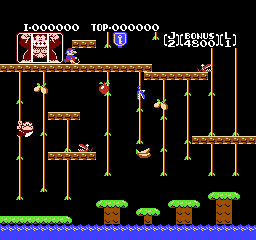
Donkey Kong Jr.
Donkey Kong Jr. flips the first arcade classic on its head: young Junior climbs vines, dodges Snapjaws, and frees his father Donkey Kong from Mario's cage.
About Donkey Kong Jr. (NES)
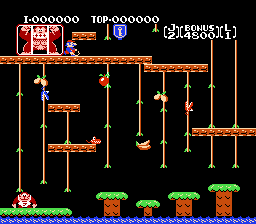
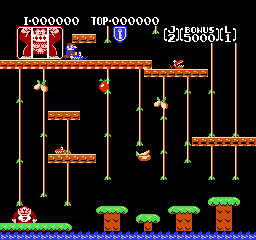
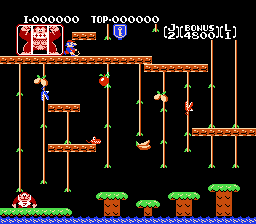
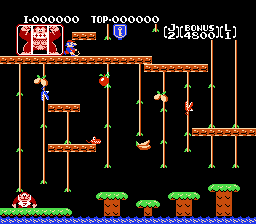
Donkey Kong Jr. is a platform game developed and published by Nintendo. First released in arcades in 1982 and later on the Nintendo Entertainment System, it is the sequel to the original Donkey Kong, but with a twist: Mario is now the villain. After Mario captures Donkey Kong and locks him in a cage, it is up to Donkey Kong’s son, Junior, to climb up and set his father free.
The role reversal made Donkey Kong Jr. Junior climbs vines and chains, grabs keys to unlock his father’s cage, and dodges Mario’s minions along the way. Its vine-climbing controls and charming father-and-son story helped it become one of the most beloved early Nintendo arcade games.
Detailed Gameplay
Each stage is a vertical climb.
Vine and Chain Climbing
- Climb vines and chains with one or two hands, moving faster when gripping with both and sliding down when needed.
- Jump between vines and platforms to reach higher routes, timing jumps so you do not land in an enemy’s path.
- Climb one-handed to grab fruit and keys, since a free hand lets Junior pick up items while holding on.
- Use quick slides down a vine to escape enemies that are climbing toward you from below.
Keys, Locks and Fruit
- Reach the key at the top of each stage, then carry it to the lock to open Donkey Kong’s cage a step further.
- Drop fruit onto enemies below by touching fruit while climbing past, clearing the path and scoring bonus points.
- Plan fruit drops carefully, since a fruit that misses still falls and can be used again on a later climb.
- Collect bonus items along the way for extra points, but never let scoring distract you from the key.
Enemies and Hazards
- Avoid Snapjaws, birds, and other creatures that patrol vines and platforms, since touching one costs a life.
- Watch for enemies that climb vines toward Junior, and switch vines or slide down before they reach you.
- Time your climbs around enemy movement patterns, moving when patrols are far and waiting when they are near.
- Keep moving on later stages, where faster enemies and tighter layouts leave less room for hesitation.
Game Highlights
- A story flipped: Mario captures Donkey Kong, and Junior must rescue his father.
- Vine-climbing action: One-handed and two-handed climbing gives movement a unique, tactile feel.
- Fruit-drop tactics: Dropping fruit on enemies turns defense into scoring opportunities.
- Arcade classic: Simple stages, rising difficulty, and score-chasing make it endlessly replayable.
Controls
On the Nintendo Entertainment System, Donkey Kong Jr. uses the classic two-button layout for climbing and jumping.
- D-Pad: Move Junior left and right and climb vines and chains up and down.
- A Button: Jump between vines, platforms, and chains.
- B Button: Jump as an alternative, useful for players who prefer a different finger.
- Start Button: Start the game or pause.
- Select Button: Choose game options on the title screen.
Tips and Strategies to Win
Climbing in Donkey Kong Jr. rewards patience and planning more than speed.
- Climb with two hands when you need speed, and switch to one hand when you need to grab fruit or a key.
- Study enemy patrols before climbing a new vine, since a bad start often ends with a Snapjaw in your path.
- Drop fruit on groups of enemies when they line up below, rather than wasting fruit on a single foe.
- Jump between vines at the highest safe point, where the gap is smallest and enemies are easiest to see.
Frequently Asked Questions (FAQ)
Q: Why is Mario the villain in Donkey Kong Jr.? A: In this sequel, Mario has captured Donkey Kong and locked him in a cage after the events of the first game.
Q: How do you free Donkey Kong in Donkey Kong Jr.? A: Climb each stage to reach a key, then carry the key to the lock on Donkey Kong’s cage.
Q: Can I play Donkey Kong Jr. online for free? A: Yes, you can play Donkey Kong Jr.
Screenshots